An EWay Bill generated on the E-Way Bill portal is a mandatory document for transporting goods under the GST system in India. The Eway Bill Generation process includes entering key details such as the supplier’s GSTIN, recipient information, invoice number, value of goods, transport mode, and vehicle details. Businesses and transporters can Eway Bill Generate easily after logging in to the official portal. Once the Eway Bill Generation, a unique EWay Bill Number (EBN) is issued, which must be carried during the movement of goods to ensure smooth transit and full compliance with GST regulations.
Simple Steps for e-Way Bill Generation on the e-Way Bill Portal
Here is a step-by-step guide to generate an EWay Bill (EWB-01) online:
Step 1: Log in to the e-Way Bill system.
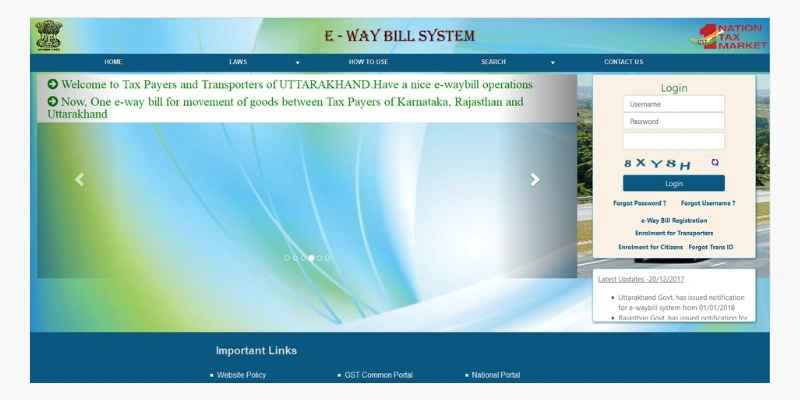
Enter your username, password, and captcha code, then click on the “Login” button.
Step 2: Select the “Generate New” option under the “E-Way Bill” section displayed on the left side of the dashboard.
Step 3: Fill in the required fields on the screen that appears.
- Transaction Type: Choose ‘Outward’ if you are the supplier of the consignment, or ‘Inward’ if you are the recipient.
- Sub-Type: Select the appropriate sub-type based on your transaction. If Outward is selected, relevant sub-types will appear for selection.
- Document Type: Pick the correct type such as Invoice, Bill, Challan, Credit Note, Bill of Entry, or Others if your document type is not listed.
- Document Number: Enter the invoice or document number accurately.
- Document Date: Select the date of the invoice, challan, or document.
- From/To: Enter the details in the From or To section based on whether you are the supplier or the recipient of the consignment.
- Item Details: Add the details of the consignment (HSN code-wise) in this section:
- Product name
- Description
- HSN Code
- Quantity,
- Unit,
- Value/Taxable value
- Tax rates of CGST and SGST or IGST (in %)
- Tax rate of Cess, if any charged (in %)
Step 4: Click on the “Submit” button. The system will verify the entered details and display an error message if any corrections are required.
If all information is valid, your request will be processed successfully, and the e-Way Bill in Form EWB-01 will be generated with a unique 12-digit e-Way Bill Number (EBN).
EWay Bill Generate Using SMS
- Registration: Make sure your mobile number is registered on the e-Way Bill portal.
- Compose the SMS: Type the message in the prescribed format – EWBG, followed by a space, the e-Way Bill number, and your PIN.
- Send the SMS: Send the message to 77382 99899 for processing.
- Receive Confirmation: After successful verification, you will receive an acknowledgment SMS with e-Way Bill details.
- Validity: The generated e-Way Bill will be valid for the specified transportation period.
EWay Bill Generate Through e-Invoicing
- eWay Bill Login Portal : Sign in using your registered credentials.
- Select “Generate e-Way Bill through Invoice Number”: Choose this option from the dashboard.
- Enter Invoice Reference Number (IRN): Provide the unique e-invoice reference number.
- Auto-Fetch Details: The system automatically retrieves invoice-related details.
- Verify and Add Information: Review the details and add any required information.
- EWay Bil Generatel: Submit the details to generate the e-Way Bill.
- Print or Save: Download or print the e-Way Bill for transit compliance.
- Validity: Ensure the e-Way Bill remains valid throughout the transportation period.
FAQ
What is EWay Bill Generation?
EWay Bill Generate refers to the process of creating an electronic way bill on the official GST portal for transporting goods worth more than ₹50,000. It contains details of the supplier, recipient, goods, and transporter, and is mandatory under GST law.
How can I generate an EWay Bill online?
To generate an EWay Bill, log in to the official EWay Bill portal using your GST credentials. Enter the invoice details, goods information, and transport details, then submit the form. After successful submission, a unique EWay Bill Number (EBN) is generated.
Is EWay Bill generation mandatory for all goods?
No, EWay Bill Generate is not mandatory for all goods. Certain goods are exempt, and in some cases, transport within a specific distance or by non-motorised vehicles does not require an EWay Bill, as per GST rules.